Partielo | Créer ta fiche de révision en ligne rapidement

Chapter 3: Abstraction, Variables, and Control Structures

Abstraction in Programming

  • Abstraction helps hide complexity by:
  • Breaking programs into smaller parts.
  • Using black boxes that execute predefined steps.
  • Using abstract concepts such as variables, data types, and expressions.
  • Abstract algorithms can be reused for multiple purposes.


Variables and Data Types

What are Variables?

  • Variables are containers that store values used in a program.
  • Their values can change during execution.
  • Constants differ as they remain unchanged during execution.

Rules for Naming Variables

✅ May contain letters, numbers, and underscores (_). ✅ Can be long or short. ✅ Are case-sensitive. ❌ Cannot start with a number. ❌ Cannot contain spaces. ❌ Cannot use Python reserved keywords.

Common Data Types

Data TypeDescriptionInteger (int)Whole numbersFloat (float)Decimal numbersString (str)Text or charactersBoolean (bool)True or False values

Data Structures

  • List: Stores multiple values in a mutable structure ([]).
  • Tuple: Stores multiple values in an immutable structure (()).

Boolean Expressions and Logical Operators

  • Boolean expressions return True or False.
  • Relational Operators:
  • > (greater than), < (less than), >= (greater or equal), <= (less or equal)
  • == (equal), != (not equal)
  • Logical Operators:
  • and (both conditions must be True)
  • or (at least one condition must be True)
  • not (negates a condition)


Checking and Converting Data Types

  • Use type() to check a variable’s type.
print(type("Hello"))  # Output: <class 'str'>
  • Convert data types when needed:
str(8)  # Converts integer 8 to string "8"
float(10)  # Converts integer 10 to float 10.0


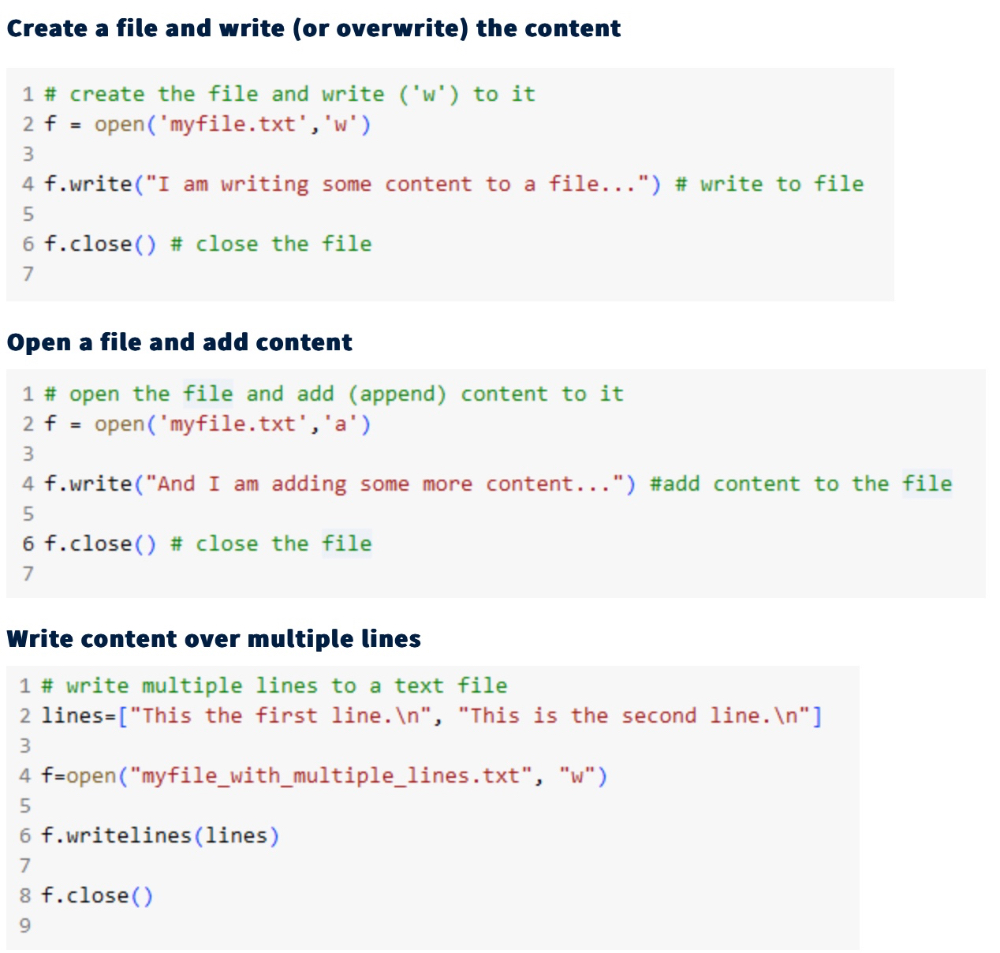
Writing Output to a File

  1. Create and write (overwrite) a file:
with open("example.txt", "w") as file:
    file.write("Hello, World!")
  1. Open and append content:
with open("example.txt", "a") as file:
    file.write(" Adding new content.")
  1. Write multiple lines:
with open("example.txt", "w") as file:
    file.write("Line 1\nLine 2\n")


Using Python Functions and Libraries

Built-in Functions

  • Python has many pre-defined functions, e.g., print()len()max()min().
  • Example:
print(len("Hello"))  # Output: 5

Using Python Libraries

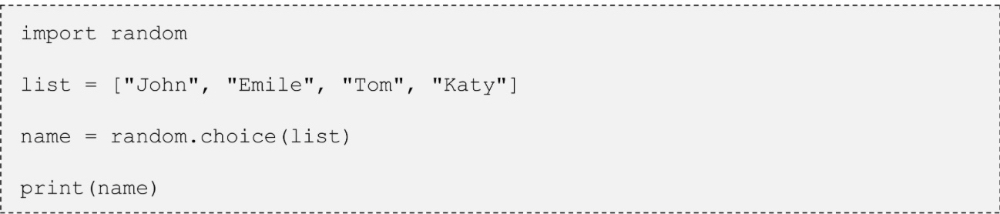
  • Libraries (or modules) contain reusable functions.
  • Example:
import random
print(random.choice(["Apple", "Banana", "Cherry"]))
  • Math Library provides useful functions:
import math
print(math.sqrt(16))  # Output: 4.0



Chapter 3: Abstraction, Variables, and Control Structures

Abstraction in Programming

  • Abstraction helps hide complexity by:
  • Breaking programs into smaller parts.
  • Using black boxes that execute predefined steps.
  • Using abstract concepts such as variables, data types, and expressions.
  • Abstract algorithms can be reused for multiple purposes.


Variables and Data Types

What are Variables?

  • Variables are containers that store values used in a program.
  • Their values can change during execution.
  • Constants differ as they remain unchanged during execution.

Rules for Naming Variables

✅ May contain letters, numbers, and underscores (_). ✅ Can be long or short. ✅ Are case-sensitive. ❌ Cannot start with a number. ❌ Cannot contain spaces. ❌ Cannot use Python reserved keywords.

Common Data Types

Data TypeDescriptionInteger (int)Whole numbersFloat (float)Decimal numbersString (str)Text or charactersBoolean (bool)True or False values

Data Structures

  • List: Stores multiple values in a mutable structure ([]).
  • Tuple: Stores multiple values in an immutable structure (()).

Boolean Expressions and Logical Operators

  • Boolean expressions return True or False.
  • Relational Operators:
  • > (greater than), < (less than), >= (greater or equal), <= (less or equal)
  • == (equal), != (not equal)
  • Logical Operators:
  • and (both conditions must be True)
  • or (at least one condition must be True)
  • not (negates a condition)


Checking and Converting Data Types

  • Use type() to check a variable’s type.
print(type("Hello"))  # Output: <class 'str'>
  • Convert data types when needed:
str(8)  # Converts integer 8 to string "8"
float(10)  # Converts integer 10 to float 10.0


Writing Output to a File

  1. Create and write (overwrite) a file:
with open("example.txt", "w") as file:
    file.write("Hello, World!")
  1. Open and append content:
with open("example.txt", "a") as file:
    file.write(" Adding new content.")
  1. Write multiple lines:
with open("example.txt", "w") as file:
    file.write("Line 1\nLine 2\n")


Using Python Functions and Libraries

Built-in Functions

  • Python has many pre-defined functions, e.g., print()len()max()min().
  • Example:
print(len("Hello"))  # Output: 5

Using Python Libraries

  • Libraries (or modules) contain reusable functions.
  • Example:
import random
print(random.choice(["Apple", "Banana", "Cherry"]))
  • Math Library provides useful functions:
import math
print(math.sqrt(16))  # Output: 4.0